SQL Query with Dynamic C# and Dapper (nuget)

We use ADO.NET to connect to SQL Server and work with data. We simply use SqlConnection to establish the connection to SQL Server, and then utilize an SqlDataAdapter or SqlCommand to execute queries. After executing the query, we retrieve the required field values from the result set.
This task can be done using a NuGet package called Dapper, a micro-ORM (Object-Relational Mapper) that simplifies working with ADO.NET. Dapper makes it easy, as we don’t even need to create models or classes to read data when using dynamic.
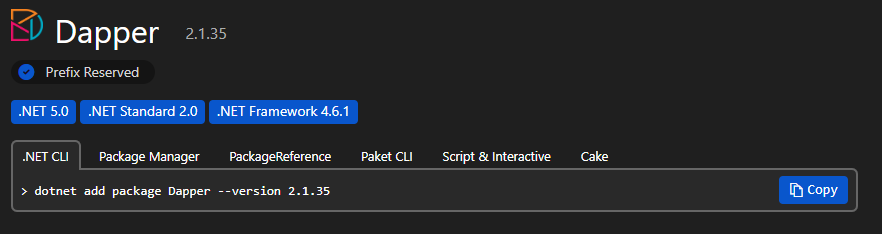
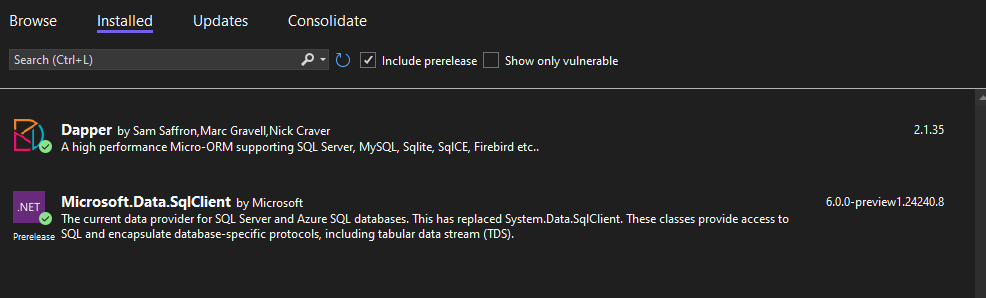
This simple code demonstrates how easily we can read data using Dapper with ADO.NET. Here I added the following two packages: Microsoft.Data.SqlClient and Dapper.
string connectionString = "Server=.;Database=MovieClub;User Id=kcbdbuser;Password=kcbdbuser;TrustServerCertificate=True;";

using var con = new SqlConnection(connectionString);

IEnumerable<dynamic> movies = con.Query("SELECT * FROM Movie");
foreach (dynamic item in movies)
{
    Console.WriteLine($"Id: {item.Id}, Name: {item.Name}, Genre: {item.Genre}, Rating: {item.Rating}, Language: {item.Language}");
}
con.Query executes the query and we can access fields like an object’s property.
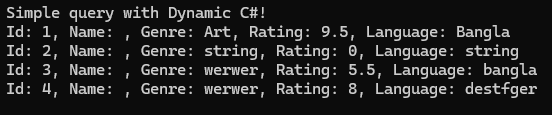
Output:
Github link: onsaurav/SqlQueryWithDynamicAndDapper (github.com)
Thank you!