Building a Local AI Chat App with Ollama, FastAPI, and React
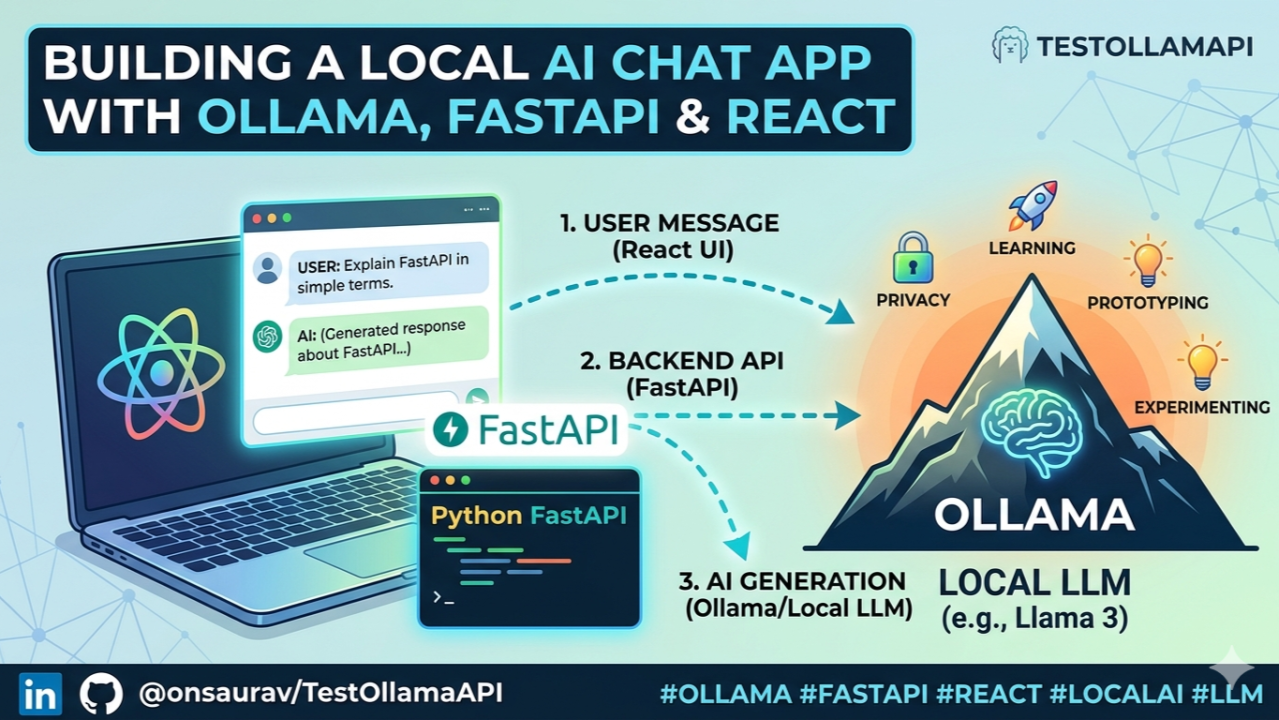
I recently built TestOllamaAPI, a full-stack local AI chat application that connects a React frontend with a Python FastAPI backend and runs AI responses using Ollama locally. The goal of this project was to understand how a real AI chat application works end to end, from the web interface to the backend API and then to a local LLM.
What is Ollama?
Ollama is a tool that allows us to run large language models locally on our own computer. Instead of calling a cloud AI API, we can download models like Llama, Mistral, or Gemma and interact with them through a local API.
Why use Ollama?
Ollama is useful because it allows:
- Local AI development
- No external API key requirement
- Better privacy because prompts stay on your machine
- Easy testing with open-source LLMs
- Faster prototyping for AI-powered apps
Tools and Technologies Used
For this project, I used:
- Ollama for running the local LLM
- Python FastAPI for the backend API
- React + TypeScript + Vite for the frontend chat app
- SQLite for storing conversation history
- REST API for communication between frontend and backend
- CORS to allow the React app to call the backend
How to Install and Use Ollama
First, install Ollama from the official website: https://ollama.com
After installation, pull a model:
ollama pull llama3
Then run the model:
ollama run llama3
Ollama also runs a local API server, usually at http://localhost:11434. This API can be used by the backend to send prompts and receive AI responses.
Python Backend Setup
The backend is built with FastAPI. It receives chat messages from the frontend, sends them to Ollama, gets the response, and returns it back to the web app.
Setup:
cd ollama-api-python
python -m venv venv
venv\Scripts\activate
pip install -r requirements.txt
python main.py
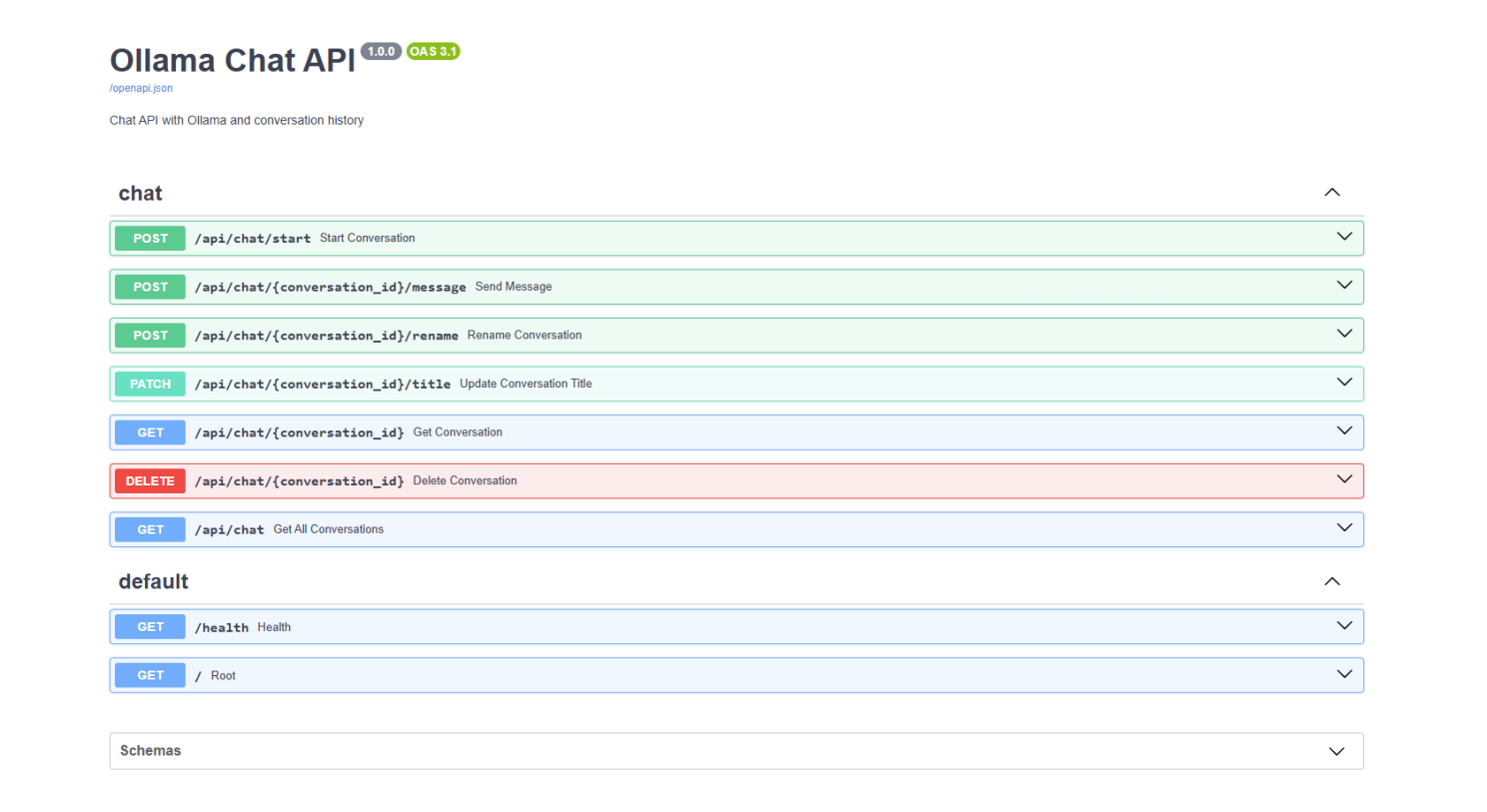
The backend runs at http://localhost:3003, and API documentation is available at http://localhost:3003/docs.
How the API Works
The React app sends a user message to the Python backend.
Example request:
{
  "message": "Explain FastAPI in simple words"
}
The FastAPI backend forwards the prompt to Ollama. Ollama processes it using the local model and returns an AI-generated response.
The response is then sent back to the React chat interface.
Web Chat App Setup
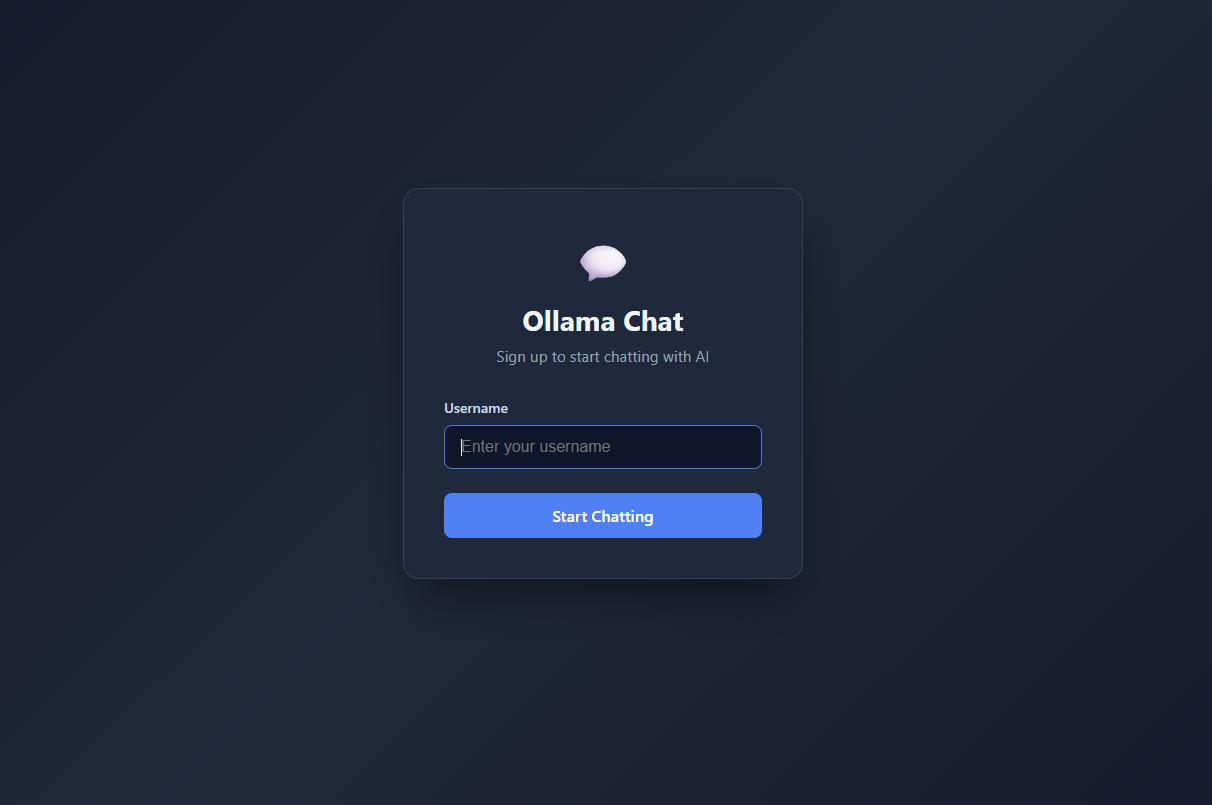
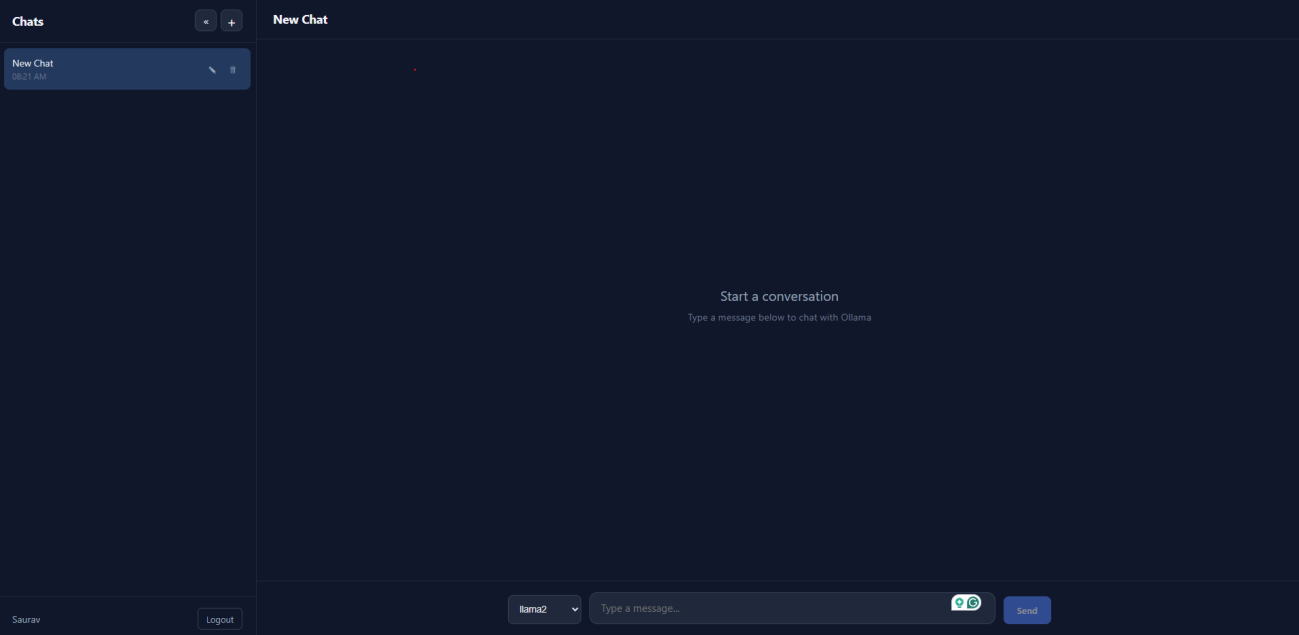
The frontend is a React chat application. It provides a simple interface where users can type a message, send it to the backend, and see the AI response.
Setup:
cd chat-app
npm install
npm run dev
The app usually runs at http://localhost:5173.
How the Full Flow Works
The complete flow is:
User types message
      ↓
React chat app sends request
      ↓
FastAPI backend receives message
      ↓
Backend calls Ollama local API
      ↓
Ollama model generates response
      ↓
Backend returns response
      ↓
React app displays AI reply
Example:
User: “Explain FastAPI in simple words.”
AI response: “FastAPI is a Python framework that helps developers build APIs quickly and efficiently.”
This project helped me understand how to connect a modern web application with a local AI model using a clean backend API.
Repository: https://github.com/onsaurav/TestOllamaAPI